The best wireless smart home hubs bring compatible devices, apps, and voice assistants together so your lights, sensors, locks, cameras, and routines work from one central system. The right hub can also improve reliability by reducing dependence on separate cloud services or individual device apps.
This roundup compares 10 options ranging from focused bridges for garage doors or lighting to multi-protocol platforms designed to run a broader smart home. Use the guide below to match features, compatibility, and setup requirements to the way you plan to automate your home.
Best 10 Wireless Smart Home Hubs Picks for 2026
Most Versatile
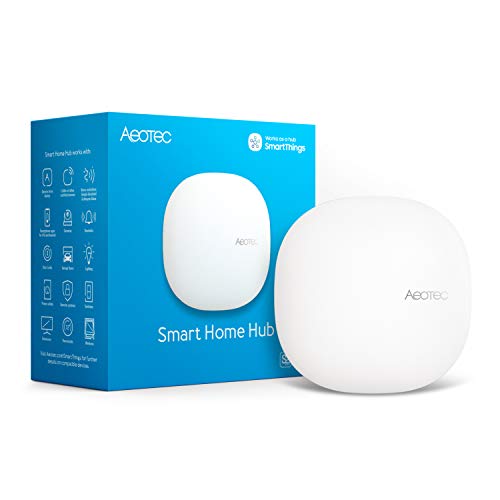
- Supports Matter, Zigbee, Z-Wave Plus, and Wi-Fi
- Works with Alexa, Google Home, and SmartThings
- Offers Ethernet, Wi-Fi, and local automations
Best For: Homes combining multiple smart home ecosystems
Best for Tapo Devices

- Connects up to 64 Tapo devices
- Includes a built-in chime and 90 dB siren
- Uses low-power wireless connections for Tapo accessories
Best For: Tapo-centered homes with sensors and alerts
Best Control Panel

- Provides a customizable 8-inch smart home dashboard
- Supports Wi-Fi, Zigbee, Matter, Thread, and Bluetooth
- Controls compatible devices, cameras, routines, and security
Best For: Families wanting a shared visual Alexa control panel
Best for Local Matter Bridging
SONOFF Bridge Max Smart Home Hub
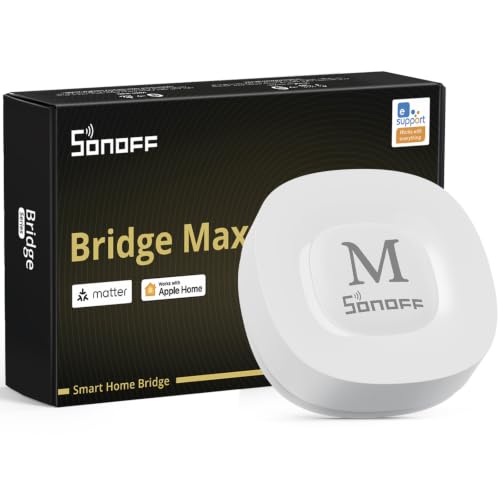
- Bridges Zigbee, BTHome, and eWeLink devices to Matter
- Offers local web management without cloud dependence
- Supports Home Assistant, Ethernet, and Wi-Fi
Best For: Advanced users prioritizing local control and Zigbee integration
Best Garage-Focused Pick
Chamberlain Smart Garage Control
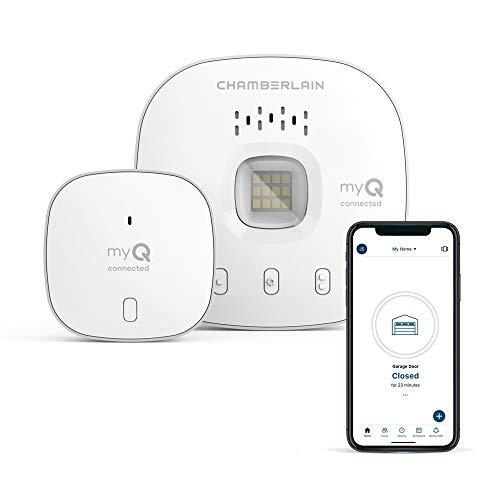
- Remote garage-door control through the myQ app
- Scheduled closing and guest access
- Requires compatible sectional-door opener and 2.4GHz Wi-Fi
Best For: Remote monitoring and control of a compatible garage door
Best Lighting Ecosystem Hub
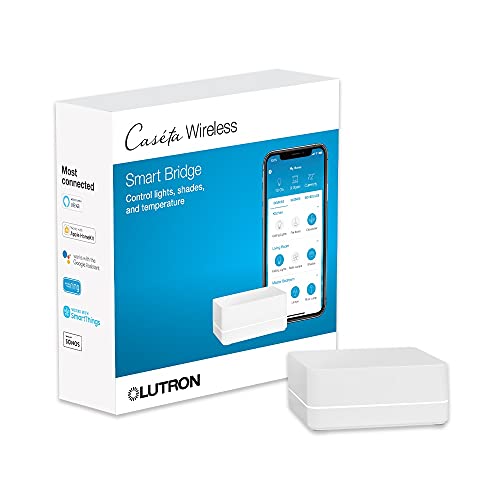
- Supports up to 75 Caseta devices
- Integrates with Alexa, HomeKit, Google Assistant, and more
- Plugs into an outlet and connects to a Wi-Fi router
Best For: Expanding Lutron Caseta lighting with broad platform support
Best Tapo Sensor-and-Camera Hub

- Supports 64 low-power devices plus four cameras or doorbells
- Built-in chime and smart alarm for alerts
- Optional microSD storage up to 512GB
Best For: Tapo camera, doorbell, and sensor ecosystems
Best Overall

- Seven wireless technologies in one hub
- Supports 50,000+ devices across 1,000+ brands
- Local-first automation and energy monitoring
Best For: Multi-brand homes needing broad compatibility and advanced automation
Best Tuya Gateway
MOES ZigBee/Bluetooth Mesh Hub
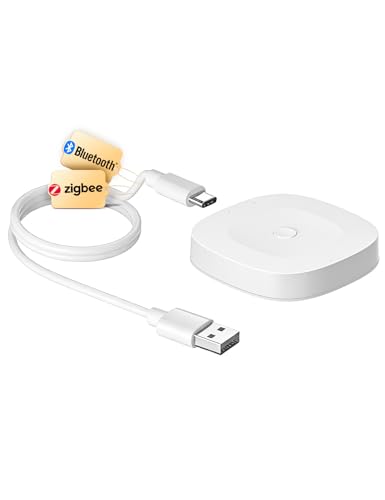
- Bridges Tuya Bluetooth Mesh and Zigbee 3.0
- Supports up to 128 compatible devices
- Includes app, voice, and local automation control
Best For: Tuya or Smart Life households wanting an easy dual-protocol bridge
Best Compact Option

- Combines Zigbee 3.0 and Bluetooth Mesh
- Supports up to 128 Tuya devices
- Adds app, group, automation, and voice control
Best For: Small Tuya-based installations needing a compact control bridge
Most Versatile – Aeotec Smart Home Hub
For shoppers comparing wireless smart home hubs, the Aeotec Smart Home Hub stands out for broad protocol support and flexible connectivity. It works with SmartThings, Matter, Z-Wave Plus, Zigbee, Wi-Fi, Alexa, and Google Home, while offering both Wi-Fi and Ethernet setup.
Best For: Homes combining devices from several smart home ecosystems.
Pros:
- Supports Matter, Zigbee, Z-Wave Plus, Wi-Fi, Alexa, and Google Home.
- Enables custom routines through the SmartThings app.
- Supports both wired Ethernet and Wi-Fi connectivity.
- Many automations can run locally for improved speed and reliability.
Cons:
- Z-Wave Plus support is specified for the V3 model.
- Designed for use in North America.
This is a strong all-around choice when compatibility and automation flexibility matter more than having a built-in display or alarm.
Best for Tapo Devices – Tapo Smart Hub H100
The Tapo Smart Hub H100 is a focused option among wireless smart home hubs for users building around Tapo sensors, switches, and buttons. It connects to 2.4GHz Wi-Fi, supports up to 64 Tapo devices, and includes a built-in chime and 90 dB siren.
Best For: Tapo-centered homes needing low-power device connections and basic alerts.
Pros:
- Supports up to 64 Tapo devices.
- Uses a low-power wireless protocol designed to extend battery life.
- Offers up to a 30-meter maximum connection distance under stated test conditions.
- Built-in chime and siren support security alerts.
Cons:
- Requires a 2.4GHz Wi-Fi network.
- Compatible device list is focused on Tapo sensors, switches, and buttons.
- Cannot directly connect to Tapo smart plugs or smart lighting.
The H100 makes the most sense as the central point for a Tapo ecosystem, especially where sensor-triggered actions and audible alerts are priorities.
Best Control Panel – Amazon Echo Hub 8-Inch
The Amazon Echo Hub adds a wall-mountable 8-inch touchscreen to the wireless smart home hubs category. Its customizable dashboard lets you arrange controls, view compatible cameras, start routines, manage security devices, and control media from one central display.
Best For: Families wanting an easy-to-see Alexa control panel for a connected home.
Pros:
- Customizable dashboard with rearrangeable sections and resizable controls.
- Built-in hub supports Wi-Fi, Bluetooth, Zigbee, Matter, Sidewalk, and Thread devices.
- Works with thousands of Alexa-compatible devices.
- Can be wall mounted and supports compatible tabletop stands.
Cons:
- Some installation accessories, including cable pass-throughs and tabletop stands, are sold separately.
- Ring camera event summaries require Alexa+ and a compatible Ring subscription.
Choose the Echo Hub when a visual interface is as important as device compatibility. It is particularly useful for shared household control and quick access to cameras, routines, and security functions.
Best for Local Matter Bridging – SONOFF Bridge Max Smart Home Hub
The SONOFF Bridge Max is a practical choice among wireless smart home hubs for connecting Zigbee, BTHome, and eWeLink devices to Matter platforms. It supports local web management, Ethernet or Wi-Fi, Home Assistant integration, and local security automations without requiring cloud access.
Best For: Advanced users seeking local control, Zigbee integration, and Matter bridging.
Pros:
- Bridges compatible Zigbee, BTHome, and eWeLink devices to Matter platforms.
- Offers a local web console without requiring an app or cloud service.
- Supports Home Assistant through MQTT and Matter-compatible platforms.
- Includes a built-in 90 dB alarm and mobile intrusion notifications.
Cons:
- It is a Matter Bridge, not a Matter Hub or Matter Controller.
- It cannot be used to add Matter devices directly.
- Its feature set may be more involved than necessary for basic smart home setups.
The Bridge Max is best suited to technically minded users who want to preserve local control while connecting Zigbee devices across Matter-compatible ecosystems.
Best Garage-Focused Pick – Chamberlain Smart Garage Control
For shoppers seeking wireless smart home hubs with a focused use case, the Chamberlain Smart Garage Control provides app-based control of a compatible sectional garage door. It connects over 2.4GHz Wi-Fi, supports Bluetooth-assisted setup, and lets you open, close, share access, or schedule closing through the myQ app.
Best For: Homeowners who want remote garage monitoring and control.
Pros:
- Open or close a compatible garage door from anywhere through the myQ app.
- Supports family or guest access and scheduled closing.
- Works with Amazon Key In-Garage Delivery for eligible Prime members.
- Bluetooth can simplify setup.
Cons:
- Requires a sectional garage door and a compatible opener.
- Needs a 2.4GHz 802.11 b/g/n router within 50 feet.
- Not compatible with several opener types, including specified yellow-learn-button Chamberlain models and Linear openers.
This is a practical choice when garage access is the priority, but compatibility should be checked carefully before purchase. It is certified for use in the US only.
Best Lighting Ecosystem Hub – Lutron Caseta Smart Hub
The Lutron Caseta Smart Hub is one of the more lighting-oriented wireless smart home hubs, connecting Caseta devices with Alexa, Apple HomeKit, Google Assistant, Ring, Serena shades, and Sonos. It plugs into an outlet, connects to your Wi-Fi router, and supports up to 75 Caseta devices.
Best For: Expanding a Caseta lighting system with broad smart-home integrations.
Pros:
- Supports up to 75 Caseta devices.
- Works with Alexa, Apple HomeKit, Google Assistant, Ring, Serena shades, and Sonos.
- Clear Connect technology is designed not to compete with Wi-Fi-connected devices.
- Setup involves plugging into an outlet, connecting to a router, and following app instructions.
Cons:
- Caseta dimmers, switches, and other coordinating accessories are sold separately.
- Its primary value depends on building a compatible Lutron Caseta system.
Choose this hub if dependable Caseta expansion and integration with major voice and media platforms matter more than a general-purpose device hub. It can also replace a Wink hub for controlling Lutron Caseta devices.
Best Tapo Sensor-and-Camera Hub – Tapo H200 Smart Hub
For shoppers comparing wireless smart home hubs for a Tapo ecosystem, the H200 combines device coordination, a built-in chime, and smart-alarm functions. It supports up to 64 switches, sensors, or buttons plus four cameras or doorbells, while requiring a 2.4GHz Wi-Fi connection.
Best For: Tapo users building a sensor, camera, or video-doorbell setup.
Pros:
- Connects up to 64 switches, sensors, or buttons and four cameras or doorbells.
- Provides a built-in smart alarm and chime for motion or visitor alerts.
- Supports local microSD video storage up to 512GB, with the card sold separately.
- Works with Amazon Alexa and Google Home for voice control.
Cons:
- Requires 2.4GHz Wi-Fi.
- It is designed around compatible Tapo devices rather than a broad, brand-neutral ecosystem.
- MicroSD storage requires a separately purchased card.
The H200 is a strong fit for a Tapo-centered home, especially where camera or doorbell alerts and local recording are useful. Its low-power wireless protocol can also help compatible sensors and buttons last longer.
Best Overall – Homey Pro (2026)
Homey Pro (2026) is a versatile choice among wireless smart home hubs for households with devices across several ecosystems. It combines Wi-Fi, Zigbee, Z-Wave Plus, infrared, Bluetooth Low Energy, Matter, and Thread in one local-first hub, while supporting automation, energy monitoring, and remote control.
Best For: Multi-brand smart homes that need broad protocol support and advanced local automation.
Pros:
- Supports seven connectivity technologies, including Matter and Thread.
- Works with more than 50,000 devices from over 1,000 brands.
- Offers Homey Flow and Advanced Flow automation tools.
- Processes smart home data locally with minimal cloud dependency.
Cons:
- Its broad feature set may be more than a simple setup requires.
- Compatibility should be checked for specific brands and devices.
Homey Pro stands out when flexibility and long-term expandability matter. Its protocol coverage and local processing make it a strong centerpiece for a growing, mixed-brand home, especially if energy insights and detailed automations are priorities.
Best Tuya Gateway – MOES ZigBee/Bluetooth Mesh Hub
This MOES gateway is a compact option among wireless smart home hubs for users building around Tuya or Smart Life. It bridges Tuya Bluetooth Mesh and Zigbee 3.0 devices to a 2.4GHz network, with app control, voice support, local scenarios, and capacity for up to 128 compatible devices.
Best For: Tuya and Smart Life users who want a simple Zigbee and Bluetooth gateway.
Pros:
- Combines Bluetooth Mesh and Zigbee 3.0 support.
- Supports up to 128 Tuya smart home devices.
- Offers app control plus Alexa and Google Assistant voice control.
- Supports local scenarios, local automation, and security functions.
Cons:
- Works only with Tuya smart devices.
- Requires a 2.4GHz network.
- Provides narrower ecosystem coverage than multi-brand hubs.
The MOES hub makes sense if your existing devices already use Tuya or Smart Life. Its dual-protocol design and straightforward setup can simplify a focused installation, but it is not the right fit for a mixed ecosystem requiring broader compatibility.
Best Compact Option – Tuya Multi-Mode Gateway
This compact multi-mode gateway is one of the simpler wireless smart home hubs for Tuya users. It connects Zigbee 3.0 and Bluetooth Mesh devices through the Smart Life or Tuya app, enabling remote control, device grouping, automation triggers, and Alexa or Google Home voice commands.
Best For: Small Tuya-based setups that need app and voice control in a compact hub.
Pros:
- Supports Zigbee 3.0 and Bluetooth Mesh in one gateway.
- Supports up to 128 Tuya smart home devices.
- Enables remote, group, and third-party control through the app.
- Supports Alexa and Google Home voice commands.
Cons:
- Compatible only with Tuya or Smart Life devices.
- Its small feature set is less suitable for broader ecosystems.
- Requires compatible 2.4GHz network connectivity.
Choose this gateway when you want a small bridge for a defined Tuya installation rather than a universal smart home controller. It covers the basics well—device linking, app access, automation, and voice control—while keeping the setup focused.
How We Picked the Best Wireless Smart Home Hubs
We focused on hubs that solve a clear connectivity or control problem, then compared their supported protocols, platform compatibility, setup requirements, and intended use. The selection includes general-purpose controllers as well as specialized bridges for lighting, garage doors, and device ecosystems.
Important considerations included support for standards such as Matter, Thread, Zigbee, Z-Wave, Bluetooth, Wi-Fi, and infrared; compatibility with Alexa, Google Home, Apple Home, SmartThings, Tuya, or proprietary apps; and whether the hub requires a specific 2.4GHz network or brand family.
Quick Comparison
- Best for broad protocol support: Homey Pro (2026)
- Best SmartThings-compatible option: Aeotec Smart Home Hub
- Best for Alexa-centered control: Amazon Echo Hub
- Best for Lutron lighting: Lutron Caseta Smart Hub
- Best for garage access: Chamberlain myQ Smart Garage Control
- Best for Tuya or Smart Life devices: MOES and compatible Zigbee/Bluetooth gateways
- Best for Tapo accessories: Tapo H100 or H200 Smart Hub
Key Buying Factors for Wireless Smart Home Hubs
Protocol and Device Compatibility
Check the radios and standards your devices actually use. Zigbee and Z-Wave can support many sensors and switches, while Matter and Thread may offer more flexible cross-platform compatibility. Bluetooth and infrared are useful for particular accessories, but their range and automation capabilities vary.
Platform Support
Confirm that the hub works with your preferred voice assistant and mobile ecosystem. A hub may support Alexa but not Apple Home, or it may control only devices from one manufacturer. Compatibility lists are especially important when mixing brands.
Network and Installation Requirements
Many hubs need a stable 2.4GHz Wi-Fi connection, Ethernet, or a nearby router. Position the hub centrally, away from metal obstructions and wireless interference. For critical automations, consider whether routines continue working when the internet is unavailable.
Expansion and Long-Term Value
Choose a system that leaves room for future devices rather than matching only today’s setup. Matter support can help with interoperability, while a broad multi-protocol hub may reduce the need to buy separate bridges later.
Who Should Buy Which Wireless Smart Home Hubs?
Choose Homey Pro if you want one advanced platform for many protocols and brands. Pick Aeotec if SmartThings and Z-Wave compatibility are central to your setup. The Echo Hub is a practical fit for households already invested in Alexa and Echo devices.
For focused installations, select the hub designed for your equipment: Lutron Caseta for Lutron lighting, Chamberlain for compatible myQ garage control, and Tapo hubs for Tapo sensors and accessories. MOES and other Tuya-based gateways make more sense when your devices already use Smart Life or the Tuya ecosystem. Before buying, make an inventory of your current devices and prioritize the protocols you expect to add next.