The best smart home hubs without cloud access can keep essential automations running locally, reduce latency, and give you more control over privacy and device data. The right choice depends on your preferred wireless standards, ecosystem, and tolerance for setup complexity.
We compared 10 popular hubs across local-control features, protocol support, automation flexibility, compatibility, and everyday usability to help you build a smarter, more resilient home.
Best 10 Smart Home Hubs Without Cloud Access Picks for 2026
Best Local Automation Gateway

- Local execution for synced automations
- Open Local API for Home Assistant
- LoRa range up to 2,034 feet
Best For: YoLink users building local-first automations
Best Local Camera Storage Hub

- Stores footage directly on the hub
- Supports optional storage up to 16TB
- Connects Tapo cameras and sensors
Best For: Tapo camera owners seeking local recordings
Best Overall Local-First Hub

- Local processing for fast automation
- Supports four major wireless protocols
- No recurring subscription required
Best For: DIY users building privacy-focused multi-brand systems
Best Touchscreen Smart Home Hub

- Customizable touchscreen dashboard
- Supports Zigbee, Matter, Thread, and more
- Controls thousands of Alexa devices
Best For: Alexa users wanting a visual wall-mounted controller
Best Edge Automation Hub

- Local-priority automations with encrypted storage
- Zigbee, Thread, Matter, IR, Wi-Fi, and PoE support
- Works with major platforms including Home Assistant
Best For: Advanced Aqara users prioritizing local control and Matter integration
Best Simple Sensor Hub

- Connects up to 64 Tapo accessories
- Low-power protocol helps extend battery life
- Built-in chime and up to 90 dB siren
Best For: Tapo users building a sensor- and button-based home system
Best Dedicated Lighting Hub
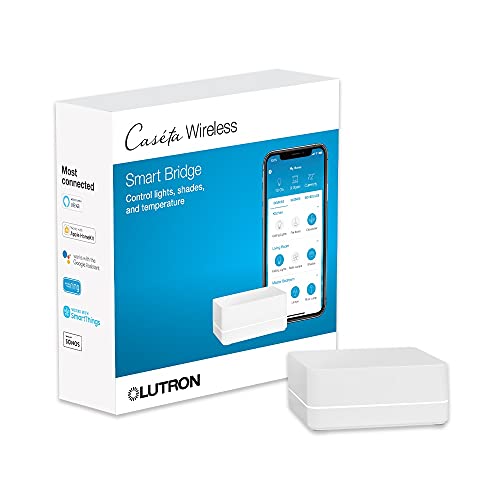
- Clear Connect avoids competing with Wi-Fi devices
- Supports up to 75 Caseta devices
- Integrates with major voice and smart-home platforms
Best For: Caseta lighting systems needing reliable control and integrations
Best Local Bridge
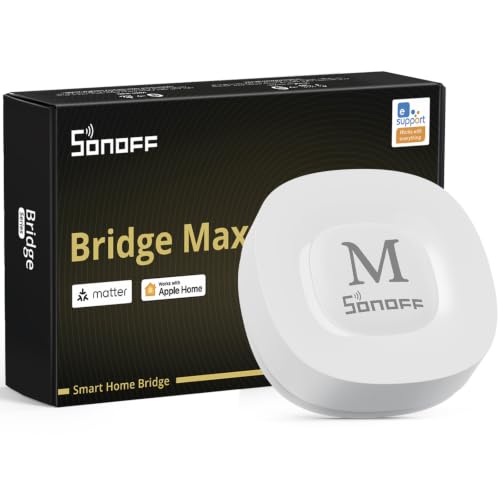
- Local web console without required cloud access
- Bridges Zigbee, BTHome, and eWeLink to Matter
- Works with Home Assistant, Ethernet, and Wi-Fi
Best For: Privacy-focused users building a flexible Zigbee and Matter-bridge setup
Best SmartThings Option
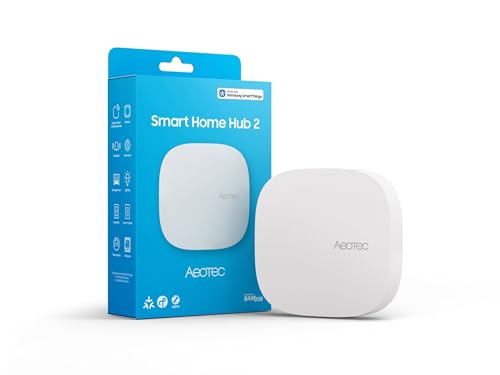
- Supports Matter and Zigbee devices
- Runs many automations locally during outages
- Connects by Wi-Fi or Ethernet
Best For: SmartThings households that do not need Z-Wave
Best Tuya Budget Gateway

- Combines Zigbee 3.0 and Bluetooth 5.0
- Works with Tuya Smart and Smart Life apps
- Supports Alexa and Google Assistant voice control
Best For: Tuya-only setups needing a basic dual-mode gateway
Best Local Automation Gateway – YoLink YS1606 Local Hub
The YoLink YS1606 is a strong option for shoppers seeking smart home hubs without cloud access for everyday automation. After setup, synced schedules, timers, and local automations can continue running when the external internet connection is unavailable, while its Local API supports integrations such as Home Assistant.
Best For: YoLink users who want local automation, long-range device connectivity, and Home Assistant integration.
Pros:
- Runs preconfigured automations locally during internet outages.
- Offers Ethernet or Wi-Fi connectivity and an open Local API.
- LoRa connectivity reaches devices up to 2,034 feet away.
- Includes battery backup and a two-year warranty.
Cons:
- Internet is required for initial provisioning and for creating or changing local rules.
- App and Local API access during a blackout require powered network equipment.
The YS1606 is a particularly focused choice for local-first YoLink setups. Its offline operation is useful, but buyers should understand that configuration and remote access still depend on internet service.
Best Local Camera Storage Hub – Tapo H500 CentralHub
The Tapo H500 suits shoppers comparing smart home hubs without cloud access who mainly want private, local camera storage. It saves footage directly to the hub, supports optional SATA storage, and keeps recordings accessible during network outages, although its broader compatibility is centered on Tapo cameras and sensors.
Best For: Tapo households that want centralized camera recording without relying on cloud storage subscriptions.
Pros:
- Stores footage locally with 16GB built in and support for up to a 16TB SATA drive.
- Connects up to 16 Tapo cameras and 64 Tapo Sub-G sensors.
- Supports WPA3 encryption, HDMI viewing, and four-camera continuous recording.
- Offers Wi-Fi placement flexibility plus wired connectivity.
Cons:
- Continuous recording is limited to four cameras.
- Advanced features and device support are primarily within the Tapo ecosystem.
- An additional SATA HDD or SSD is sold separately.
The H500 is less of a universal automation hub and more of a local security and media center. Choose it when local video access matters more than broad cross-brand automation.
Best Overall Local-First Hub – Hubitat Elevation C-8 Pro
The Hubitat Elevation C-8 Pro is one of the most capable choices for smart home hubs without cloud access. It processes automations directly on the hub, keeps device data at home, supports multiple wireless protocols, and provides advanced rules without requiring a recurring subscription.
Best For: DIY users who want fast, privacy-focused automation across Zigbee, Z-Wave, Matter, Bluetooth, and compatible voice platforms.
Pros:
- Runs automations locally for fast response and continued operation during internet outages.
- Supports Matter 1.5, Z-Wave 800, Zigbee 3.0, and Bluetooth.
- Works with Alexa, Google Home, and Apple HomeKit.
- Provides Rule Machine, AI-assisted routine building, and no required subscription.
Cons:
- Advanced configuration may be better suited to technically inclined users.
- Some integrations and device support may require community apps, drivers, or setup work.
For buyers prioritizing local processing and broad protocol support, the C-8 Pro is the most complete option in this group. Its flexibility is a major advantage, though the platform rewards users willing to spend time learning its configuration tools.
Best Touchscreen Smart Home Hub – Amazon Echo Hub
The Amazon Echo Hub is a convenient control panel for shoppers who want a visual interface for compatible devices, but it is not the strongest fit for smart home hubs without cloud access. Its built-in support for Wi-Fi, Bluetooth, Zigbee, Matter, Sidewalk, and Thread is useful, while Alexa routines and remote controls are designed around Amazon’s connected ecosystem.
Best For: Alexa households wanting a wall-mounted touchscreen for device controls, cameras, routines, and security management.
Pros:
- Provides a customizable dashboard for devices, cameras, routines, and media.
- Built-in hub supports Wi-Fi, Bluetooth, Zigbee, Matter, Sidewalk, and Thread devices.
- Works with thousands of Alexa-compatible devices.
- Includes a microphone-off button and multiple privacy controls.
Cons:
- The supplied information does not establish fully local automation or cloud-free operation.
- Some Ring features require a compatible subscription sold separately.
- Wall-mount accessories, tabletop stands, and power-over-Ethernet equipment are sold separately.
The Echo Hub is best viewed as an accessible Alexa control surface rather than a dedicated local-first controller. It makes sense for households already invested in Alexa, but buyers specifically avoiding cloud dependence should consider the local-processing alternatives first.
Best Edge Automation Hub – Aqara M3
For shoppers seeking smart home hubs without cloud access, the Aqara Smart Home Hub M3 is a strong fit when local automation is the priority. It supports Aqara Zigbee and Thread devices, Matter bridging, encrypted local storage, and wired or wireless networking, although some notifications still require internet access.
Best For: Advanced Aqara users who want local automations, Matter integration, and broad protocol support.
Pros:
- Prioritizes local control and automation through its Edge Hub design.
- Supports Aqara Zigbee, Thread, Matter bridging, Home Assistant, Apple Home, Alexa, and SmartThings.
- Includes encrypted 8GB local storage, PoE, dual-band Wi-Fi, and a USB-C power option.
Cons:
- Some cloud-based notifications still require an internet connection.
- Its Zigbee capacity applies to Aqara Zigbee devices, not third-party Zigbee products.
- A 2A USB power adapter is not included.
The M3 is the most capable option here for privacy-conscious automation, but its benefits are strongest within the Aqara ecosystem. Check device compatibility before expanding beyond Aqara products.
Best Simple Sensor Hub – Tapo H100
The Tapo Smart Hub H100 is a compact choice for shoppers comparing smart home hubs without cloud access, particularly for Tapo sensors, buttons, and switches. It uses a low-power wireless protocol for connected accessories and requires a 2.4GHz Wi-Fi connection for setup and network access.
Best For: Tapo households that want extended sensor battery life, straightforward automations, and a built-in alarm.
Pros:
- Supports up to 64 Tapo sensors, switches, and buttons.
- Low-power connectivity can extend compatible device battery life by up to 10 times compared with Wi-Fi devices.
- Offers Smart Actions, a built-in chime, and a siren reaching up to 90 dB.
Cons:
- Requires a 2.4GHz Wi-Fi connection.
- Does not directly connect to Tapo smart plugs or smart lighting.
- Its compatibility is centered on Tapo devices rather than a broad multi-brand ecosystem.
The H100 is easy to recommend for a focused Tapo setup, but it is not the most flexible pick for a mixed-brand or deeply local smart home. Confirm that your desired devices are supported before buying.
Best Dedicated Lighting Hub – Lutron Caseta Smart Hub
The Lutron Caseta Smart Hub is a practical option for shoppers considering smart home hubs without cloud access around lighting control. Its Clear Connect technology avoids competing with Wi-Fi-connected devices, while the hub supports up to 75 Caseta devices and integrates with Alexa, Apple HomeKit, Google Assistant, Ring, Serena shades, and Sonos.
Best For: Homes centered on dependable Caseta lighting control with voice assistants and selected smart-home integrations.
Pros:
- Uses Clear Connect technology rather than competing with Wi-Fi-connected devices.
- Supports up to 75 Lutron Caseta devices.
- Works with Alexa, Apple HomeKit, Google Assistant, Ring, Serena shades, and Sonos.
Cons:
- Caseta dimmers, switches, and other accessories are sold separately.
- Requires connection to a router and the Lutron app for setup.
- It is primarily designed for the Lutron Caseta ecosystem rather than broad multi-protocol device support.
Choose this hub when lighting reliability and Caseta expansion matter more than universal device compatibility. It is a focused bridge for Lutron equipment, not a general-purpose local automation hub.
Best Local Bridge – SONOFF Bridge Max
For shoppers seeking smart home hubs without cloud access, the SONOFF Bridge Max stands out with a local web console available directly over your LAN. It bridges Zigbee, BTHome, and eWeLink devices to Matter platforms while also offering Ethernet, Wi-Fi, Home Assistant, and local automation support.
Best For: Users who want local device management and broad Zigbee-to-Matter integration across Apple Home, Alexa, Google Home, or Home Assistant.
Pros:
- Local web console operates without relying on cloud services.
- Supports Zigbee, BTHome, eWeLink, Matter Bridge, and Home Assistant integrations.
- Offers Ethernet and Wi-Fi connectivity plus a built-in 90 dB alarm.
Cons:
- It is a Matter Bridge, not a Matter Controller, so it cannot add Matter devices directly.
- Some setup flexibility may require MQTT or bridge configuration for Home Assistant.
The Bridge Max is a strong choice when privacy and local control matter most. Its main limitation is the distinction between Matter bridging and Matter hub functionality, so confirm that your intended devices fit its supported workflow.
Best SmartThings Option – Aeotec Smart Home Hub2
The Aeotec Smart Home Hub2 is a practical pick among smart home hubs without cloud access for households already using SmartThings. It supports Matter and Zigbee, and its local automation capability can keep many routines running during temporary internet outages, though SmartThings remains central to the experience.
Best For: SmartThings users who want Matter and Zigbee support with local automation, voice-platform compatibility, and Wi-Fi or Ethernet setup.
Pros:
- Supports Matter and Zigbee devices across lighting, sensors, thermostats, and more.
- Many automations can execute locally during temporary internet outages.
- Works through Wi-Fi or Ethernet and is compatible with Alexa and Google Assistant.
Cons:
- Z-Wave is not supported.
- SmartThings app and ecosystem integration remain part of the setup.
This hub balances broad modern-device support with faster local automation. Choose it if you are comfortable with SmartThings and do not need Z-Wave compatibility; otherwise, the missing radio may be a decisive limitation.
Best Tuya Budget Gateway – Tuya ZigBee Wi-Fi Gateway
This Tuya gateway is a straightforward option for shoppers comparing smart home hubs without cloud access, but it is designed around app-based remote control rather than a documented local-management console. It combines Zigbee 3.0 and Bluetooth 5.0 and works only with compatible Tuya or Smart Life devices.
Best For: Tuya users who need an inexpensive Zigbee and Bluetooth gateway with Smart Life control and Alexa or Google Assistant voice support.
Pros:
- Combines Zigbee 3.0 and Bluetooth 5.0 in one gateway.
- Supports Smart Life and Tuya Smart apps with 2.4 GHz Wi-Fi.
- Works with Alexa and Google Assistant for voice control.
Cons:
- Only compatible with Tuya-protocol devices.
- Not compatible with listed blind, Sengled bulb, and door-lock products.
- The supplied information emphasizes app-based remote access rather than cloud-free local control.
This gateway makes sense for a tightly focused Tuya ecosystem, not a mixed-brand or privacy-first installation. Verify every intended device before buying, especially if local-only operation is a firm requirement.
How We Picked the Best Smart Home Hubs Without Cloud Access
We focused on hubs that offer meaningful local operation or local APIs rather than treating cloud connectivity as the only control path. We also considered support for Zigbee, Z-Wave, Matter, Bluetooth, Wi-Fi, infrared, and proprietary device families, since protocol coverage determines which sensors, switches, locks, and remotes you can use.
Other factors included automation depth, setup requirements, mobile and voice-control options, expandability, reliability, and whether the hub is best suited to a single brand or a mixed-device installation. Some products still use cloud services for remote access, voice assistants, updates, camera features, or account functions, so verify the manufacturer’s current local-control limitations before buying.
Quick Comparison
| Best for | What to prioritize | Potential trade-off |
|---|---|---|
| Privacy-focused automation | Local processing, local API, offline routines | More technical setup |
| Mixed-brand homes | Matter, Zigbee, Z-Wave, or broad integrations | Compatibility can vary by device |
| Camera and sensor ecosystems | Brand-specific hub features and stable wireless coverage | Less flexibility outside that brand |
| Voice and wall-panel control | Display, Alexa, Google Home, or Apple Home support | Cloud dependence may remain |
| Lighting systems | Dedicated lighting bridge and reliable local scenes | Limited use beyond lighting |
Key Buying Factors for Smart Home Hubs Without Cloud Access
Local Control and Offline Behavior
Check exactly what continues working during an internet outage. A hub may run automations locally while still requiring the cloud for remote access, voice commands, notifications, or account authentication. Look for documented local APIs, LAN control, and offline automation support.
Protocol and Device Compatibility
Choose a hub around the devices you already own and plan to add. Zigbee is common for sensors and bulbs, Z-Wave remains useful for locks and switches, and Matter can simplify cross-platform compatibility. Wi-Fi-only bridges may be convenient but often support fewer third-party devices.
Automation and Expansion
Basic schedules are easy to find; advanced hubs offer conditions, scenes, event triggers, presence detection, dashboards, and integrations. If you expect to grow your system, confirm device limits, update support, and whether community integrations are available.
Setup, Reliability, and Recovery
Consider whether the hub needs Ethernet, 2.4GHz Wi-Fi, a vendor account, or additional radios. Reliable local backups, straightforward resets, and stable firmware matter more than a long feature list once the system is installed.
Who Should Buy Which Smart Home Hubs Without Cloud Access?
Choose a local-API or automation-focused hub if privacy, fast response, and outage resilience matter most. A multi-protocol model is the better fit for a mixed-brand home using Zigbee, Z-Wave, and Matter devices. Brand-focused bridges make sense when you already own a large collection of compatible cameras, sensors, lights, or remotes and want the simplest setup.
Buy a display-based hub if household members need an easy visual control panel, but expect some cloud reliance for voice and remote features. Dedicated lighting hubs are ideal for dependable lighting scenes, while compact Wi-Fi or Bluetooth bridges suit smaller installations and budget upgrades. Before purchasing, list every device you want to connect and confirm both protocol support and local operation for the specific automations you care about.