Adding the right memory kit can make an older laptop feel more responsive, improve multitasking, and help newer systems handle demanding workloads. The key is matching the module type, generation, capacity, and supported speed to your laptop.
We selected 10 computer memory kits for laptops across DDR3L, DDR4, and DDR5 platforms, including single-module and dual-channel options. Use the guide below to narrow the list before buying.
Best 10 Computer Memory Kits for Laptops Picks for 2026
Best Balanced DDR4 Upgrade
TEAMGROUP Elite 32GB DDR4-3200 Kit
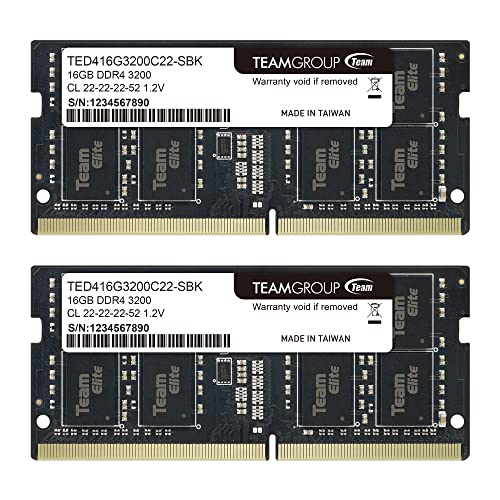
- 32GB total in two 16GB modules
- DDR4-3200 with support for lower system speeds
- 260-pin, 1.2V SO-DIMM design
Best For: Compatible DDR4 laptops needing a 32GB upgrade
Best DDR5 Speed Option
CORSAIR Vengeance 16GB DDR5-5600

- 16GB DDR5 SO-DIMM module
- Rated up to 5600MHz
- Designed for compatible Intel and AMD systems
Best For: Newer DDR5 laptops and compact performance PCs
Best Value DDR4 Kit
PNY Performance 32GB DDR4-3200

- Two 16GB DDR4 modules
- 3200MHz rating with lower-speed compatibility
- CL22, 1.2V, 260-pin SO-DIMM
Best For: DDR4 notebooks needing more multitasking capacity
Best Older-Laptop Compatibility

- 16GB total in two 8GB modules
- Dual-voltage 1.35V/1.5V operation
- 204-pin non-ECC SO-DIMM design
Best For: Older laptops and compact systems using DDR3 or DDR3L
Best High-Capacity DDR5 Pick

- 32GB matched 2x16GB capacity
- 5600MHz with 5200MHz and 4800MHz options
- Supports Intel XMP 3.0 and AMD EXPO
Best For: Newer DDR5 laptops used for heavy multitasking and gaming
Best 32GB DDR4 Kit
G.SKILL Ripjaws 32GB DDR4-3200
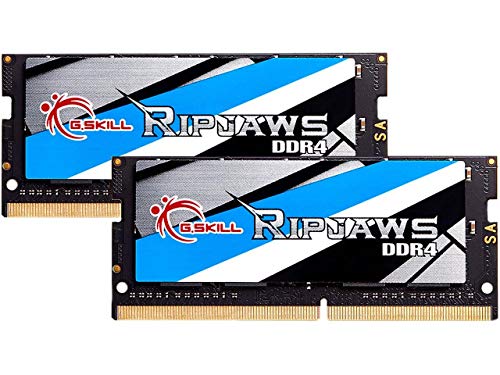
- 32GB matched 2x16GB configuration
- 3200MT/s with CL22 timing at 1.2V
- JEDEC default profile included
Best For: Compatible DDR4 laptops needing generous memory capacity
High-Capacity Pick
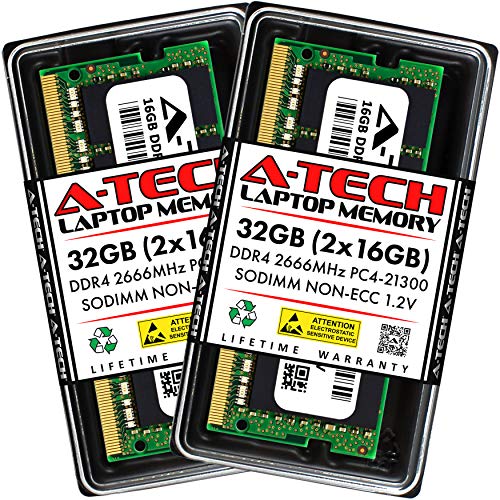
- 32GB total in two 16GB SO-DIMMs
- DDR4-2666, non-ECC, 1.2V
- Limited lifetime warranty
Best For: Compatible DDR4 laptops needing a 32GB upgrade
Best Balanced DDR4 Upgrade – TEAMGROUP Elite 32GB DDR4-3200 Kit
For shoppers comparing computer memory kits for laptops, this TEAMGROUP Elite kit offers 32GB across two 16GB DDR4 SO-DIMM modules. Its rated 3200MHz speed may scale down to 2933MHz or 2666MHz depending on the laptop, processor, BIOS, and supported configuration.
Best For: Laptop users seeking a substantial DDR4 capacity upgrade with two matched modules.
Pros:
- 32GB total capacity in a 2 x 16GB kit
- DDR4-3200 PC4-25600 rating with backward speed support
- 1.2V, 260-pin SO-DIMM design with lifetime warranty and free technical support
Cons:
- Actual operating speed depends on system compatibility and settings
- Only compatible with laptops that support DDR4 SO-DIMM memory
This is a practical high-capacity choice for compatible DDR4 notebooks. Confirm the laptop’s supported memory type and speed before purchasing.
Best DDR5 Speed Option – CORSAIR Vengeance 16GB DDR5-5600
This CORSAIR Vengeance module is a 16GB DDR5 SO-DIMM rated for up to 5600MHz. Among computer memory kits for laptops, it suits compatible newer systems that prioritize faster memory, though maximum speed depends on the laptop’s CPU, motherboard, BIOS, and configuration.
Best For: DDR5-compatible gaming and performance laptops, small-form-factor PCs, and Intel NUC kits.
Pros:
- DDR5-5600 rating for faster compatible systems
- Industry-standard 262-pin SO-DIMM form factor
- Simple installation and limited lifetime warranty
Cons:
- Single 16GB module rather than a two-module kit
- Maximum rated speed may require compatible BIOS or system adjustments
- Not compatible with DDR4 or DDR3 laptop memory slots
Choose this module when the laptop specifically supports DDR5 SO-DIMM memory and 5600MHz operation. Compatibility should take priority over the headline speed.
Best Value DDR4 Kit – PNY Performance 32GB DDR4-3200
PNY’s Performance kit provides 32GB through two 16GB DDR4 SO-DIMMs, making it a strong value-oriented option among computer memory kits for laptops. The 3200MHz rating can operate at lower supported frequencies, including 2933MHz, 2666MHz, 2400MHz, and 2133MHz.
Best For: DDR4 laptop owners who want more capacity for simultaneous applications and demanding workloads.
Pros:
- 32GB capacity in a 2 x 16GB configuration
- 3200MHz PC4-25600 speed with broad backward frequency support
- CL22 timing, 1.2V operation, and limited lifetime warranty
Cons:
- Operating speed is limited by the host laptop
- Requires a compatible 260-pin DDR4 SO-DIMM slot
With its matched 32GB configuration and flexible lower-speed support, this kit is a sensible DDR4 upgrade for multitasking. Verify the laptop’s memory generation and maximum capacity first.
Best Older-Laptop Compatibility – Timetec 16GB DDR3L-1600 Kit
For older notebooks, this Timetec kit delivers 16GB through two 8GB DDR3L SO-DIMM modules. It is a useful option when shopping for computer memory kits for laptops that require DDR3 or DDR3L rather than newer DDR4 or DDR5 memory.
Best For: Compatible DDR3 or DDR3L laptops, mini PCs, and all-in-one systems.
Pros:
- 16GB total capacity in a 2 x 8GB kit
- Dual-voltage operation at 1.35V or 1.5V
- 204-pin, non-ECC, unbuffered SO-DIMM design with lifetime warranty
Cons:
- 1600MHz DDR3L performance is older and slower than DDR4 or DDR5
- Not compatible with systems requiring DDR4 or DDR5
- Compatibility depends on the laptop’s supported capacity and memory type
This kit makes sense for extending the useful life of an older compatible laptop. Check whether the system accepts DDR3L, DDR3, or both, along with its maximum supported capacity.
Best Value DDR4 Upgrade – PNY 16GB DDR4-3200 Kit
For shoppers comparing computer memory kits for laptops, the PNY 16GB kit offers a straightforward DDR4 upgrade for compatible notebooks. Its 3200MHz speed, 1.2V operation, and matched 2x8GB configuration are suited to everyday multitasking and more demanding applications.
Best For: Laptop users who want an affordable 16GB DDR4 upgrade with broad backward compatibility.
Pros:
- Matched 2x8GB kit provides 16GB of total memory.
- 3200MHz PC4-25600 performance with compatibility at 2933, 2666, 2400, and 2133MHz.
- 260-pin DDR4 SO-DIMM design with CL22 timing and 1.2V voltage.
- Limited lifetime warranty.
Cons:
- DDR4-only, so it is not suitable for laptops requiring DDR5.
- Compatibility still depends on the laptop’s supported memory type and speed.
This PNY kit is a practical choice when a laptop supports DDR4 and you want a balanced combination of capacity, speed, and compatibility without moving to a larger 32GB kit.
Best High-Capacity DDR5 Pick – Crucial 32GB DDR5-5600 Kit
Among computer memory kits for laptops, this Crucial kit stands out with 32GB of DDR5 capacity and a rated 5600MHz speed. It can also operate at 5200MHz or 4800MHz, making it a strong option for compatible newer laptops used for multitasking, gaming, or demanding workloads.
Best For: Compatible laptops with 12th Gen Intel Core or AMD Ryzen 7000 processors that need substantial DDR5 capacity.
Pros:
- 32GB total capacity in a matched 2x16GB kit.
- 5600MHz DDR5 performance with 5200MHz and 4800MHz operating options.
- Supports Intel XMP 3.0 and AMD EXPO on the same module.
- 262-pin, 1.1V non-ECC SODIMM design backed by a limited lifetime warranty.
Cons:
- Designed for DDR5 systems and is not compatible with DDR4 laptop memory slots.
- Maximum operating speed depends on the laptop and its processor support.
Choose this Crucial kit when your laptop supports DDR5 and you want more headroom than a typical 16GB upgrade. Verify system compatibility and supported memory speed before buying.
Best 32GB DDR4 Kit – G.SKILL Ripjaws 32GB DDR4-3200
For DDR4-compatible notebooks, the G.SKILL Ripjaws kit provides 32GB through two matched 16GB modules. Its 3200MT/s rating, JEDEC default profile, and 1.2V operation make it a capable option for laptop users who want higher capacity without switching to DDR5.
Best For: DDR4 laptops, mini PCs, Intel NUCs, and compatible all-in-one systems needing 32GB of memory.
Pros:
- 32GB matched 2x16GB configuration for demanding multitasking.
- DDR4-3200 support with CL22-22-22-52 timing at 1.2V.
- Includes a JEDEC default profile for booting at standard settings with compatible hardware.
- 260-pin unbuffered, non-ECC SO-DIMM format.
Cons:
- Maximum speed and performance depend on the system, motherboard, CPU, and BIOS settings.
- G.SKILL advises against mixing memory kits because it can cause instability or failure.
- Requires checking the manufacturer’s QVL or RAM Configurator for validated compatibility.
This Ripjaws kit is a sensible high-capacity DDR4 choice, particularly when you need 32GB and are willing to confirm your laptop’s compatibility. Keep the matched modules together and avoid combining them with another kit.
High-Capacity Pick – A-Tech 32GB DDR4-2666 Kit
For shoppers comparing computer memory kits for laptops, this A-Tech kit provides 32GB through two 16GB DDR4 SO-DIMM modules. Its 2666MHz speed, 260-pin format, and 1.2V operation suit select compatible laptops, notebooks, mini PCs, and all-in-one systems.
Best For: Multitasking-focused users with compatible DDR4 laptops that support 32GB of memory.
Pros:
- 32GB kit with two 16GB modules
- DDR4-2666 PC4-21300, non-ECC, unbuffered design
- Plug-and-play installation and limited lifetime warranty
Cons:
- Not compatible with desktop DIMMs or DDR2, DDR3, or DDR5 systems
- System maximum capacity and memory compatibility must be verified before purchase
This is a practical capacity upgrade for supported DDR4 laptops, especially when responsiveness and multitasking are priorities. Confirm the device’s form factor, memory generation, and capacity limit first.
Speed-Focused Choice – Silicon Power 32GB DDR4-3200 Kit
This Silicon Power kit is a strong option among computer memory kits for laptops when a compatible system supports DDR4-3200 memory. It includes two 16GB 260-pin SO-DIMMs for 32GB total, with CL22 timing and 1.2V operation.
Best For: Laptop owners seeking a 32GB DDR4 kit rated for 3200MHz operation.
Pros:
- 32GB capacity in a two-module kit
- DDR4-3200 PC4-25600 speed rating
- 1.2V SO-DIMM design backed by a lifetime warranty
Cons:
- Compatibility depends on the laptop supporting the specified memory type and speed
- The supplied details identify it for laptops, so broader system compatibility should not be assumed
With its higher rated speed and generous capacity, this kit fits performance-oriented laptop upgrades. Check the laptop’s supported memory specifications before ordering.
Broad Compatibility Pick – GIGASTONE 32GB DDR4-3200 Kit
For buyers comparing computer memory kits for laptops, this GIGASTONE set combines 32GB capacity with a DDR4-3200 rating and compatibility with many laptops, notebooks, and all-in-one computers. It uses two 16GB, 260-pin, 1.2V non-ECC SO-DIMMs.
Best For: Users upgrading compatible laptops, notebooks, or all-in-one systems with a 32GB DDR4 kit.
Pros:
- 32GB kit supplied as two 16GB modules
- Rated for DDR4-3200 and listed for possible 2933MHz or 2666MHz operation
- Non-ECC, unbuffered 260-pin SO-DIMM design with a five-year warranty
Cons:
- Only suitable for DDR4 laptop-style memory systems
- Actual operating speed depends on the host device’s support
This kit offers useful flexibility for compatible systems that run memory at 3200MHz or lower listed speeds. Verify the device’s memory requirements and maximum capacity before installation.
How We Picked These Computer Memory Kits for Laptops
We focused on widely used SO-DIMM kits from established memory brands and included options for older DDR3L systems as well as current DDR4 and DDR5 laptops. Selection criteria included capacity, rated speed, voltage, module count, compatibility information, and suitability for common laptop upgrades.
Most kits use unbuffered, non-ECC memory, which is standard for consumer notebooks. However, specifications alone cannot guarantee compatibility: your laptop’s manual, manufacturer support page, or a system-scanning tool should be the final authority.
Quick Comparison
| Memory generation | Typical capacities here | Common speed range | Best suited to |
|---|---|---|---|
| DDR3L/DDR3 | 16GB kits | 1600MHz | Older laptops with 204-pin slots |
| DDR4 | 16GB or 32GB kits | 2666–3200MHz | Mainstream and older gaming laptops |
| DDR5 | 16GB or 32GB kits | 4800–5600MHz | Newer Intel and AMD laptops |
Key Buying Factors for Computer Memory Kits for Laptops
Match the Memory Generation
DDR3, DDR4, and DDR5 are not interchangeable. A DDR4 module will not work in a DDR5 slot, even if the capacity and speed appear suitable. Check the existing module, laptop documentation, and supported memory type before ordering.
Check Form Factor and Pin Count
Laptops generally require compact SO-DIMM modules rather than full-size desktop DIMMs. DDR3L kits commonly use 204 pins, DDR4 uses 260 pins, and DDR5 SO-DIMMs also use 262 pins. The slot design and electrical standard must both match.
Choose Capacity and Configuration
For everyday browsing and office work, 16GB is often sufficient. Choose 32GB for heavier multitasking, creative applications, virtual machines, or gaming when the laptop supports it. Two matched modules can enable dual-channel operation, while a single module may be useful when one slot is inaccessible or already occupied.
Verify Speed, Voltage, and Limits
Memory typically runs at the fastest speed supported by the laptop and processor, not necessarily the kit’s maximum rating. DDR4 options commonly use 1.2V, while DDR5 kits operate under their own platform-specific voltage standards. Faster memory is not beneficial if the system cannot support it.
Confirm Upgradeability
Some thin laptops have soldered memory or only one accessible slot. Check whether the existing RAM can be removed, the maximum supported capacity, and whether both slots can accept matching modules. Back up important files before installation and follow proper anti-static precautions.
Who Should Buy Which Computer Memory Kits for Laptops?
- Older laptop owners: Choose the DDR3L/DDR3 kit only when the system specifically supports that generation and 204-pin SO-DIMMs.
- Most DDR4 users: A 2x16GB 3200MHz kit is a strong capacity upgrade when the laptop supports 32GB and dual-channel operation.
- Budget DDR4 upgraders: A 2x8GB kit can provide a balanced 16GB configuration for everyday computing.
- Newer laptop owners: Select DDR5 only for a DDR5-compatible system, and confirm whether it supports 4800MHz, 5200MHz, or 5600MHz operation.
- Single-slot or partially upgradeable systems: A single 16GB module may be preferable, but verify the laptop’s maximum capacity and existing memory configuration first.
The best kit is not automatically the fastest or largest one. It is the module set that matches your laptop’s generation, slot layout, firmware support, and practical workload.