Choosing among 7200 RPM internal hard drives means balancing speed, capacity, workload support, noise, warranty coverage, and price. The right model can provide responsive desktop storage without the cost of a large SSD.
This roundup compares ten options ranging from affordable 2TB and 3TB desktop drives to high-capacity WD Blue models, gaming-focused WD Black storage, NAS-ready IronWolf Pro hardware, and renewed enterprise drives.
Best 10 7200 Rpm Internal Hard Drives Picks for 2026
Best Value

- 2TB capacity for everyday desktop storage
- 7200 RPM with 256MB cache
- Includes DiscWizard cloning software
Best For: General PCs, gaming, and media storage
Quiet Desktop Pick

- 3TB capacity for desktops and home servers
- SATA 6Gb/s and 7200 RPM operation
- Ramp Load and power-management features
Best For: Desktop PCs, gaming systems, and home servers
Maximum Capacity

- Large 10TB desktop storage capacity
- 7200 RPM with 512MB cache
- Includes Acronis cloning software
Best For: Large media libraries, desktops, and backups
Enterprise Workhorse
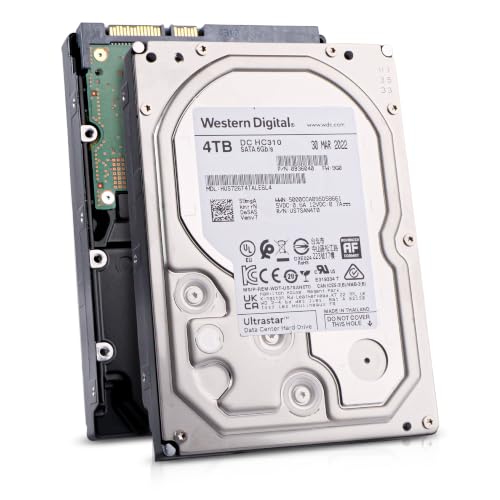
- 4TB enterprise-class storage capacity
- CMR recording for write-intensive workloads
- 24/7 rating with 550TB/year workload rating
Best For: NAS/SAN arrays, RAID, and business storage
Best High-Capacity Pick

- 12TB capacity for large storage needs
- 7200 rpm with 512 MB cache
- Includes Acronis cloning software
Best For: Desktop users and high-capacity personal or business storage
Best Enterprise-Oriented Value
Seagate Exos 7E8 4TB Renewed HDD

- Enterprise-oriented 7200 rpm design
- 128 MB cache and SATA 6 Gb/s
- Specified for 24/7 operation
Best For: Compatible servers, NAS systems, and demanding storage environments
Best for Gaming PCs

- Gaming-focused 7200 rpm design
- 267 MB/s stated read speed
- 5-year limited warranty
Best For: Gaming PCs, system builds, and creative desktop workloads
High-Capacity Enterprise Pick
Seagate Enterprise Capacity 6TB

- 6TB capacity at 7200 RPM
- 216MB/s sustained transfer rate
- Hot-plug and RAID-friendly features
Best For: Large RAID, surveillance, and backup systems
Business Reliability Value
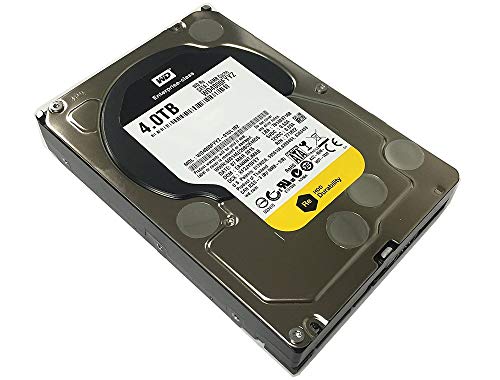
- 4TB enterprise SATA storage
- 171MB/s sustained sequential rate
- Designed for 24x7 operation
Best For: Business-critical desktop or server storage
NAS-Focused Choice
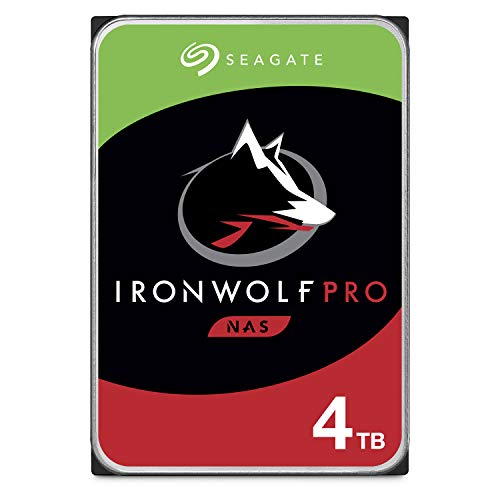
- Designed for up to 24-bay NAS systems
- Up to 214MB/s performance
- Includes health monitoring and recovery services
Best For: Multi-user NAS and RAID storage
Best Value – Seagate BarraCuda 2TB
The Seagate BarraCuda is a practical choice among 7200 rpm internal hard drives for everyday desktops, gaming PCs, and media libraries. Its 2TB capacity, SATA 6Gb/s interface, and 256MB cache provide a balanced combination of space and performance.
Best For: General desktop use, PC gaming, photo and video storage, and upgrading an existing PC.
Pros:
- 2TB capacity suits a broad range of desktop storage needs.
- 7200 RPM speed and 256MB cache support responsive everyday performance.
- Compatible with SATA 6Gb/s systems and backed by a two-year limited warranty.
- Seagate DiscWizard software can help with drive migration and cloning.
Cons:
- Its capacity is smaller than the 3TB, 4TB, and 10TB alternatives in this roundup.
- As a mechanical hard drive, it is not intended to match SSD responsiveness.
The BarraCuda makes sense when you want a straightforward, versatile 7200 RPM desktop drive from an established brand. It is especially appealing for balanced capacity rather than maximum storage.
Quiet Desktop Pick – Toshiba 3TB 7200 RPM
This Toshiba model is one of the more versatile 7200 rpm internal hard drives for desktop computers, gaming PCs, home servers, and compatible consumer electronics. It combines 3TB of storage with SATA 6Gb/s connectivity and a 64MB cache.
Best For: Desktop and all-in-one PCs, gaming systems, home servers, external enclosures, and DVR-style storage applications.
Pros:
- 3TB capacity provides useful room for games, media, and backups.
- 7200 RPM operation and SATA 6Gb/s support target responsive desktop performance.
- Ramp Load technology helps protect the recording head during transport and reduce wear.
- Power management and mechanical design are intended to limit energy use and operating acoustics.
Cons:
- The 64MB cache is smaller than the cache offered by several alternatives here.
- It is a mechanical drive, so it will not provide SSD-level access times.
Choose this Toshiba when broad desktop compatibility and a quieter, power-conscious design matter as much as capacity. Its 3TB size is a useful middle ground for general storage builds.
Maximum Capacity – WD Blue 10TB
For shoppers prioritizing space, the WD Blue 10TB is a high-capacity option among 7200 rpm internal hard drives. It uses a 3.5-inch SATA 6Gb/s design, 7200 RPM rotation, and a large 512MB cache for desktop storage.
Best For: Large desktop libraries, backups, media collections, and users who want substantial capacity from a single drive.
Pros:
- 10TB capacity accommodates large collections and extensive backups.
- 7200 RPM speed and a 512MB cache support everyday desktop workloads.
- Includes free Acronis True Image WD Edition cloning software.
- Western Digital positions the drive for reliable everyday computing.
Cons:
- The 3.5-inch form factor is intended for compatible desktop installations.
- Its high capacity may be unnecessary for users with modest storage needs.
- As a mechanical HDD, it cannot offer SSD-style access latency.
The WD Blue is the clearest fit when reducing the number of drives matters more than minimizing purchase size. Its 10TB capacity makes it particularly practical for sizable desktop libraries and backup plans.
Enterprise Workhorse – HGST Ultrastar 4TB
The renewed HGST Ultrastar is a business-oriented choice among 7200 rpm internal hard drives. Its 4TB capacity, SATA 6Gb/s interface, CMR recording, and enterprise-focused workload specifications make it suited to demanding storage environments.
Best For: Enterprise storage, data centers, NAS/SAN arrays, RAID controllers, and write-intensive backup workloads.
Pros:
- 4TB capacity provides dense storage in a 3.5-inch drive bay.
- CMR recording is suited to consistent performance in write-intensive workloads.
- Designed for 24/7 operation with a stated 2 million-hour MTBF and 550TB/year workload rating.
- Uses a 256MB cache with non-volatile cache support for write performance and data protection.
Cons:
- This is a renewed drive rather than a new retail model.
- The supplied warranty is limited to 90 days.
- Enterprise-oriented specifications may be excessive for a basic home desktop.
This Ultrastar is best considered when sustained workloads and array compatibility take priority over consumer-focused features. Buyers should weigh its enterprise design against the shorter renewed-product warranty.
Best High-Capacity Pick – WD Blue 12TB 7200 RPM HDD
For buyers seeking 7200 rpm internal hard drives with substantial desktop storage, the Western Digital WD Blue 12TB combines a 7200 rpm spindle speed, SATA 6 Gb/s connectivity, and a 512 MB cache. It is positioned for everyday computing and includes cloning software to help with drive migration.
Best For: Desktop users, business storage, and personal systems needing high capacity.
Pros:
- Large 12TB storage capacity
- 7200 rpm speed with 512 MB cache
- Includes Acronis True Image WD Edition cloning software
- Backed by a 2-year limited warranty
Cons:
- Mechanical HDD technology is less suited to buyers seeking SSD-level responsiveness
- Its 3.5-inch internal format is primarily suited to compatible desktop installations
The WD Blue is a practical choice when capacity matters most. Its combination of 12TB capacity, everyday-use positioning, and included cloning software makes it a strong fit for large desktop storage upgrades.
Best Enterprise-Oriented Value – Seagate Exos 7E8 4TB Renewed HDD
The Seagate Exos 7E8 is one of the 7200 rpm internal hard drives aimed at demanding storage environments. Its 4TB capacity, 128 MB cache, SATA 6 Gb/s interface, and enterprise-oriented design suit compatible desktop, server, and NAS-style deployments, while this listing is renewed.
Best For: Buyers wanting an enterprise-oriented 4TB drive for compatible storage systems and 24/7 workloads.
Pros:
- 7200 rpm performance with a 128 MB cache
- Enterprise-oriented design specified for 24/7 operation
- SATA 6 Gb/s interface supports modern storage compatibility
- 4TB capacity with power-management features
Cons:
- Renewed product listing may be less appealing than new retail stock
- 90-day limited warranty is shorter than the coverage on the other listed drives
- 4TB capacity is smaller than the 12TB WD Blue option
This Exos model makes the most sense for buyers prioritizing enterprise-style operation over maximum capacity. Confirm compatibility with your system and weigh the renewed condition and shorter warranty before purchasing.
Best for Gaming PCs – WD Black 4TB 7200 RPM HDD
For gaming-focused buyers comparing 7200 rpm internal hard drives, the Western Digital WD Black 4TB pairs a 7200 rpm speed with SATA 6 Gb/s connectivity and a gaming-oriented design. StableTrac and Dynamic Cache Technology are included to support reliability and performance in compatible desktop systems.
Best For: Gamers, PC builders, and creative users seeking a performance-focused mechanical storage drive.
Pros:
- Designed for gaming PCs, system builders, and creative professionals
- 7200 rpm speed with SATA 6 Gb/s connectivity
- Reported read speed of up to 267 MB/s
- Includes a 5-year limited warranty
Cons:
- 4TB capacity may be limiting for very large media libraries
- As a mechanical HDD, it will not provide SSD-level access performance
- 3.5-inch format is intended for compatible desktop installations
The WD Black is the most targeted option here for gaming and performance-conscious desktop builds. Its gaming positioning, stated 267 MB/s read speed, and lengthy warranty make it a compelling secondary-storage choice for compatible PCs.
High-Capacity Enterprise Pick – Seagate Enterprise Capacity 6TB
For buyers seeking 7200 rpm internal hard drives with substantial capacity, this renewed Seagate Enterprise Capacity model provides 6TB of storage, a 216MB/s sustained transfer rate, and a 128MB cache. Its enterprise-oriented features make it a practical option for RAID arrays, surveillance storage, and backup systems.
Best For: Business users building RAID storage, centralized surveillance systems, or large backup and restore environments.
Pros:
- 6TB capacity with 7200 RPM performance
- Up to 216MB/s sustained transfer rate
- Supports hot-plug use and includes PowerChoice technology
- Rated for 24×7 operation with a listed 1.4-million-hour MTBF
Cons:
- Renewed mechanical drive rather than a new unit
- Designed for desktop or enterprise storage systems, not portable use
This is the strongest capacity-focused choice in the group. Its 6TB capacity and enterprise features suit storage-heavy deployments, while buyers should verify the seller warranty terms because the supplied notes list differing warranty descriptions.
Business Reliability Value – Western Digital RE 4TB
This Western Digital RE is a practical entry among 7200 rpm internal hard drives for business storage. The renewed 4TB SATA drive combines a 171MB/s sustained sequential rate, 64MB cache, and enterprise-oriented reliability specifications for desktop or server deployments.
Best For: Business-critical storage applications and 24×7 systems that need a 4TB enterprise SATA drive.
Pros:
- 7200 RPM spindle speed with SATA 6Gb/s connectivity
- 171MB/s sustained sequential data rate
- Designed for up to 100% duty-cycle applications
- Dual processor architecture and listed 1.2-million-hour MTBF
Cons:
- 4TB capacity is lower than the Seagate 6TB option
- Renewed OEM drive with limited warranty information in the supplied notes
The WD RE emphasizes business-oriented durability and consistent sequential performance. It is a sensible value choice when 4TB is sufficient, but confirm the actual reseller warranty before purchase.
NAS-Focused Choice – Seagate IronWolf Pro 4TB
Built specifically for networked storage, this IronWolf Pro is one of the more purpose-driven 7200 rpm internal hard drives in the roundup. It offers 4TB capacity, up to 214MB/s performance, NAS health monitoring, and support for multi-user environments with up to 24 drive bays.
Best For: Multi-user NAS servers, RAID arrays, and home or business file-sharing systems.
Pros:
- NAS-oriented design for environments of up to 24 bays
- 7200 RPM speed with up to 214MB/s transfer performance
- IronWolf Health Management supports drive-health monitoring
- Includes a five-year limited warranty and three years of Rescue Data Recovery Services
Cons:
- 4TB capacity may be limiting for larger storage pools
- Its NAS-focused features may be unnecessary for a basic single-drive desktop
Choose the IronWolf Pro when NAS compatibility and data protection services matter more than maximum capacity. Its health-management support and included recovery service give it a clear advantage for shared storage deployments.
How We Picked the Best 7200 Rpm Internal Hard Drives
We focused on the specifications that matter most in a modern 3.5-inch hard drive: 7200 RPM spindle speed, SATA 6Gb/s connectivity, cache size, usable capacity, intended workload, and overall value. We also separated desktop, gaming, NAS, and enterprise-oriented models because a drive designed for one environment may not be the best choice for another.
Several selections are renewed or OEM products. These can offer strong capacity per dollar, but buyers should verify the seller’s testing process, return policy, warranty, and expected drive health before purchasing. No mechanical hard drive should be treated as a substitute for a backup.
Quick Comparison
| Best For | Recommended Capacity | What to Prioritize |
|---|---|---|
| Budget desktop storage | 2TB–3TB | Low price, compatibility, warranty |
| Large media libraries | 10TB–12TB | Capacity, sustained workload, reliability |
| Gaming storage | 4TB | Performance, cache, gaming-focused design |
| NAS and RAID | 4TB–6TB | NAS rating, vibration handling, workload support |
| Enterprise workloads | 4TB–6TB | Duty cycle, firmware, seller warranty |
Key Buying Factors for 7200 Rpm Internal Hard Drives
Capacity and Workload
Choose more capacity than your immediate requirement if the drive will store games, video, backups, or surveillance footage. Desktop models suit general storage, while NAS and enterprise drives are better matched to continuous operation, multi-drive arrays, and heavier workloads.
Compatibility
These are 3.5-inch SATA drives intended for desktop PCs, workstations, servers, or compatible NAS enclosures. Confirm that your case or enclosure has a 3.5-inch bay, available SATA data and power connections, and support for the selected capacity. SATA 6Gb/s is backward-compatible, but the system still needs appropriate mounting and power support.
Performance, Noise, and Thermals
A 7200 RPM drive generally offers better access performance than a 5400 RPM model, but it can also produce more vibration, sound, and heat. Cache size helps some workloads, yet it does not replace an SSD for operating-system responsiveness or frequent random access. Use an SSD for applications and a hard drive for bulk storage when possible.
Condition and Protection
New retail drives normally provide the clearest warranty path. Renewed and OEM models may be excellent values, but their protection varies. Check the seller, return window, SMART or health-testing claims, and whether the drive has a documented warranty. Keep important files on a separate backup.
Who Should Buy Which 7200 Rpm Internal Hard Drives?
Choose a 2TB or 3TB desktop model for an affordable secondary drive or general media library. A 4TB WD Black is a sensible fit for PC gamers who want a high-speed mechanical game library. For large archives, the 10TB and 12TB options reduce the need to combine several smaller drives.
Buy a Seagate IronWolf Pro when the drive will live in a NAS or RAID environment and you want a model designed for that use. Enterprise Seagate and HGST/WD options are most appropriate for buyers who understand renewed hardware and need sustained-duty storage at a lower upfront cost. If you need near-silent operation, very fast application launches, or laptop compatibility, choose an SSD or a 2.5-inch drive instead.